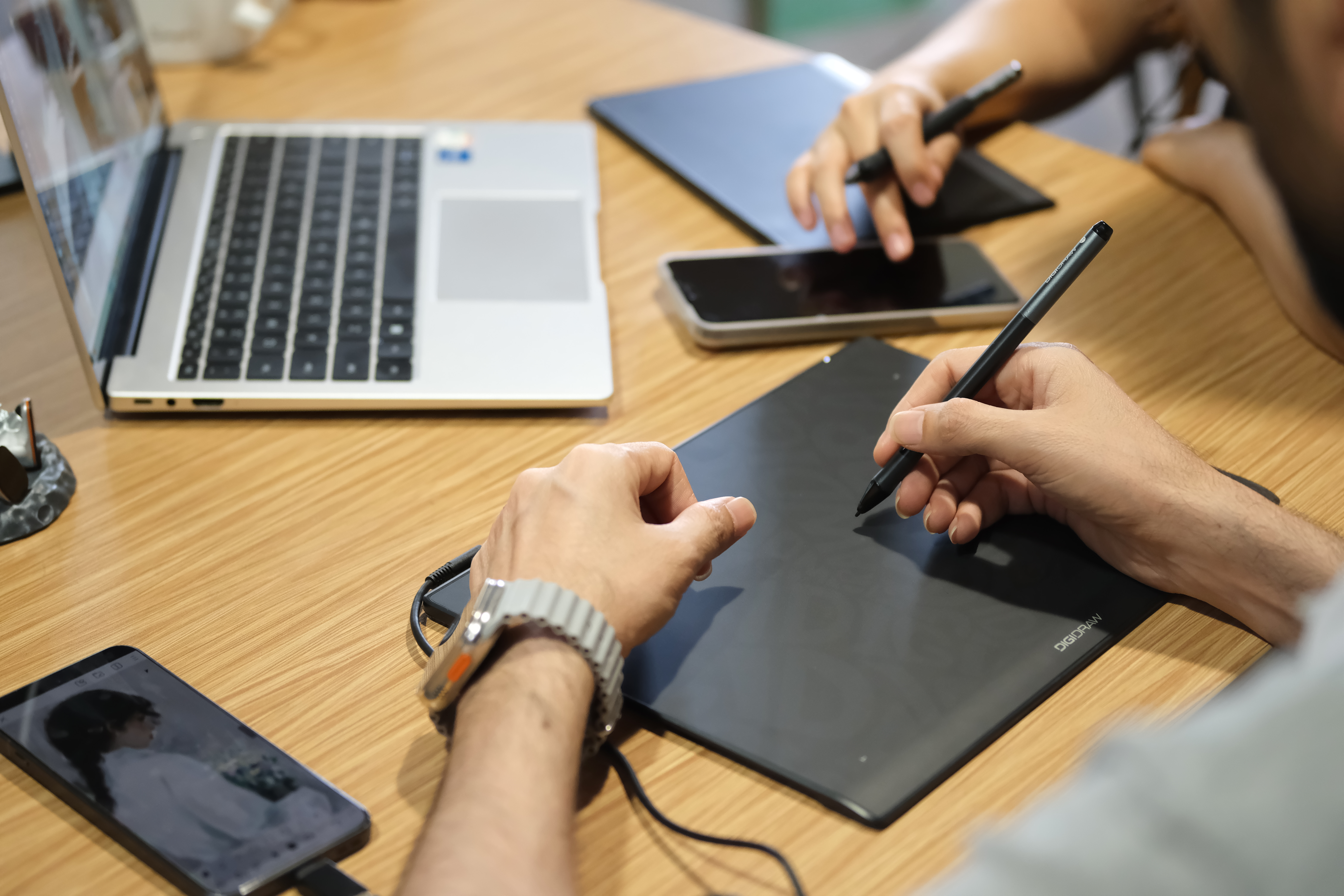
Pen displays have changed the way many people approach digital art.
For a beginner, the appeal is obvious: put the pen on the screen, draw where you see the image, and the digital canvas feels immediately familiar. As display technology has improved, pen displays have become an increasingly common choice for illustrators, designers, animators, and artists moving from traditional media into digital workflows.
So why do experienced professionals still use screenless pen tablets?
The answer is not that they have somehow missed the evolution of digital art hardware. In many cases, the opposite is true. After years of working digitally, experienced artists often know exactly which kind of setup allows them to work fastest and most comfortably.
A screenless tablet can be less intuitive at first, but it can become an extremely efficient tool once the artist develops the necessary hand-eye coordination. It can also offer advantages in ergonomics, portability, desk space, cost, and multi-monitor workflows that are easy to overlook when direct-on-screen drawing gets most of the attention.
The more useful question, then, is not whether a pen display is better than a screenless tablet.
It is:
Which type of drawing experience fits the way you work?
The Learning Curve Is Real — and So Is the Muscle Memory
The biggest difference between the two devices is simple.
With a pen display, your hand and your eyes are working on the same surface.
With a screenless tablet, your hand moves on the tablet while your eyes follow the artwork on another monitor.
For someone trying a pen tablet for the first time, this can feel strange.
You may move too far, draw slightly off target, or find yourself looking down at the tablet instead of the screen. It takes time for the brain to establish a spatial relationship between the tablet surface and the monitor.
But that relationship does not remain awkward forever.
After enough practice, it becomes muscle memory.
Experienced artists can develop a highly reliable sense of how far to move the pen to reach a particular point on the screen. Once that connection becomes automatic, they no longer need to think about the separation between hand and image.
That familiarity has real value.
An artist who has spent five or ten years working with a screenless tablet may already have a workflow built around it. Switching to a pen display may not necessarily make them faster. It may simply require them to adapt to a different physical setup.
For professionals, familiarity is not the same thing as resistance to change.
Sometimes it is efficiency.
Why Precision Can Actually Favor a Screenless Setup
Pen displays have an obvious advantage when it comes to direct visual feedback, but a separate drawing surface can also work extremely well for precision.
A screenless tablet does not physically cover the artwork.
Your entire image remains visible on the monitor while your hand works below it.
For some artists, that makes it easier to maintain a broad view of the composition.
This can be useful when working on:
-
Character compositions
-
Concept art
-
Large illustrations
-
Interface design
-
Technical drawings
The separation between input and display can also make it easier to use a large, color-accurate monitor as the main canvas while keeping a relatively compact tablet on the desk.
In a professional environment, that flexibility can be more valuable than the ability to draw directly on the screen.
Ergonomics: A Different Kind of Comfort
The physical posture of drawing is another important difference.
When using a pen display, the artist typically works at the angle of the display. Depending on the size and stand position, this can create a more forward-facing posture, similar to working on a large drafting surface.
For many people, that feels natural.
Others prefer to separate their viewing position from their drawing position.
With a screenless tablet, the monitor can remain at a comfortable viewing height while the tablet sits lower on the desk. The artist can look straight ahead rather than spending the entire session leaning toward the screen.
That does not mean screenless tablets are automatically more ergonomic. A poorly arranged desk can make either setup uncomfortable.
The important point is that a screenless tablet gives the artist more freedom to arrange the two parts of the workspace independently.
For someone drawing six or eight hours a day, that flexibility can matter.
Hand Posture Can Be Part of the Preference
Traditional artists are often focused on how their wrist, forearm, and shoulder move during drawing.
A screenless tablet can encourage a flatter working position that some artists find comfortable for long sessions.
Others prefer the angled surface of a pen display because it more closely resembles an easel, sketchbook, or drafting board.
There is no universal ergonomic winner.
The important variable is how the device fits the artist's body, desk, chair, and working habits.
That is one reason professional artists often have such different opinions about the same hardware.
A setup that feels perfect to one illustrator may be uncomfortable for another.
Multi-Monitor Workflows Are Where Screenless Tablets Get Particularly Interesting
Many professional creators do not work with a single display.
A studio setup might include one large monitor for artwork, another for references, and perhaps a third for tools, communication, or timelines.
A screenless tablet fits naturally into this kind of environment because it is an input device rather than another display.
The artist can dedicate the main monitor to the artwork while using additional screens for:
-
Reference images
-
Layer or timeline management
-
Tutorials
-
Communication
-
Asset libraries
-
3D or animation tools
Depending on the hardware and software, the tablet can also be mapped to a specific monitor or configured for different screen areas.
For animators, designers, video artists, and other creators who constantly move between applications, this can be a significant advantage.
A pen display can certainly be part of a multi-monitor setup, but it also adds another screen to the desk.
For some people, that is exactly what they want.
For others, it is simply more hardware than necessary.
Portability Still Matters
A screenless tablet has one practical advantage that is difficult to argue with:
It is easier to carry.
Without a built-in display, it can be lighter, thinner, and easier to pack into a bag alongside a laptop.
That can matter to:
-
Students
-
Freelance artists
-
Remote creators
-
Digital nomads
-
People who move between home and studio
A professional artist does not necessarily work in one permanent studio.
They may alternate between home, office, school, client meetings, workshops, and travel.
For these users, carrying a compact screenless tablet can be much easier than transporting a larger pen display and its associated cables and accessories.
Portable pen displays are narrowing that gap, but a dedicated screenless tablet remains hard to beat for simplicity.
Cost Is Still Part of the Equation
There is also a straightforward financial argument.
A screenless tablet does not require a built-in display, which means a larger portion of the budget can go toward the parts that matter for input:
-
Pen technology
-
Sensor performance
-
Accuracy
-
Shortcut controls
-
Build quality
-
Driver support
If an artist already owns a high-quality monitor, paying for another display may not add much value.
Instead, they can invest in other parts of the workstation, such as a better monitor, graphics hardware, storage, or software.
This is particularly relevant for students and hobby artists, but it can also make sense for professionals who already have an established studio setup.
More expensive hardware is not automatically a more efficient investment.
Workflow Efficiency Is Often the Real Reason Professionals Stay
The strongest argument for a screenless tablet may have nothing to do with specifications.
It is workflow efficiency.
Once an experienced artist has built up years of muscle memory, a screenless tablet can become almost invisible.
The keyboard remains where it is.
The monitor remains at the preferred viewing height.
The tablet stays in a familiar position.
Shortcut keys fall naturally under the fingers.
The artist knows exactly how far to move the pen.
There is no need to think about the hardware.
That is a powerful form of efficiency.
The best professional tools often stop drawing attention to themselves.
Does That Mean Pen Displays Are Overrated?
Not at all.
Pen displays solve a genuine problem.
For someone moving from traditional art into digital creation, the ability to draw directly on the image can remove one of the biggest barriers to learning.
A pencil artist does not have to learn how to mentally translate a hand movement into a different location on the screen.
They can simply draw.
That makes pen displays particularly attractive to:
-
Beginners
-
Traditional artists
-
Illustration students
-
Digital painters
-
Concept artists
-
Creators who prefer direct visual feedback
For many people, the intuitive interaction is worth the additional cost and desk space.
Pen Displays Also Make Sense as Creators Become More Visually Direct
Direct drawing can become especially valuable when the work depends heavily on gesture and brush movement.
A painter making broad strokes, an illustrator blocking out a character, or an artist working through a loose sketch can benefit from seeing the stroke emerge directly beneath the pen.
This is not necessarily about precision.
It is about immediacy.
For some creative processes, the fewer layers between intention and output, the better.
That is where a pen display can feel particularly compelling.
Are Screenless Tablets Outdated?
No.
They are mature, but maturity is not the same thing as obsolescence.
A tool does not become obsolete simply because another category has become more visually impressive.
Professional artists continue to use screenless tablets for the same reason they continue to use other established tools: the tools work.
Many artists have developed their own technique around them.
They know the surface area, the pressure response, the shortcut positions, and the relationship between their hand and monitor.
That familiarity has practical value.
A newer device may have more features and still be less efficient for a particular person.
Where DIGIDRAW Fits In

 DIGIDRAW is part of a broader generation of digital art hardware brands developing tools for different creative workflows rather than assuming that every artist needs the same type of device.
Its product lineup includes both drawing tablets and pen displays, allowing creators to choose between a screenless workflow and direct-on-screen drawing.
That distinction is important.
A brand serving digital artists does not need to argue that one category should replace the other. Different artists have different priorities.
Someone looking for a compact, efficient input device may prefer a drawing tablet.
Someone who values direct interaction with the canvas may prefer a pen display.
DIGIDRAW's approach is built around that broader choice, with attention to areas such as pen performance, accuracy, portability, workflow efficiency, and long-term usability.
In other words, the question is not simply what technology is newer.
It is which tool makes sense for the way a creator actually works.
So, Who Should Choose a Screenless Tablet?
A screenless tablet may be a particularly good fit if you:
Already have a good monitor.
There may be little reason to pay for a second display.
Work with multiple monitors.
Separating input from visual output can make a multi-screen setup easier to organize.
Value portability.
A smaller, lighter device is easier to take between locations.
Prefer a clean desk setup.
Your monitor can remain upright while the tablet stays flat or at a low angle.
Have years of experience with screenless tablets.
There may be little benefit in changing a workflow that already works.
Want professional input without buying another display.
A screenless tablet can deliver a capable drawing experience while keeping overall hardware costs lower.
And Who Should Choose a Pen Display?
A pen display may make more sense if you:
Are new to digital art.
The direct drawing experience can reduce the learning curve.
Come from traditional media.
Drawing directly on the screen feels familiar.
Prefer visual immediacy.
You want your eyes and hand working on the same surface.
Work mainly on illustration and painting.
Direct brush interaction can feel more natural.
Have a dedicated creative workstation.
If desk space and portability are not major concerns, a larger screen can become the center of your workflow.
There Is No Universal “Professional” Setup
One of the most misleading ideas in the drawing hardware market is that there is a single setup that defines professional work.
There isn't.
A professional artist might use:
-
A large pen display
-
A small screenless tablet
-
A laptop and portable tablet
-
A multi-monitor workstation
-
A combination of several input devices
What makes a setup professional is not whether it contains a screen.
It is whether the setup allows the artist to produce the work they need efficiently and comfortably.
That is why both screenless tablets and pen displays continue to exist — and continue to matter.
The Best Drawing Tool Is the One That Gets Out of the Way
The debate between pen tablets and pen displays often turns into a question of which technology is newer.
That is probably the wrong question.
The more useful question is:
Which setup creates the least friction between your hand, your ideas, and your final work?
For some artists, the answer is a pen display.
For others, it is a screenless tablet that has become second nature after years of use.
Neither choice represents a compromise.
They are simply two different approaches to digital creation.
And once an artist finds the right one, the hardware becomes much less important than what happens on the screen.
The best drawing tool is often the one you stop thinking about — and simply start creating with.
https://www.digidraw.com/
Turing Creative Technology (Shenzhen) Co., LtdT
About Author